



















Mechanic Tools & Accessories
Mechanic tools and accessories include AirDUSTER dust shrouds, SLIDER cutting guides, Click-Lock pad holders and CeraMAX work tables for tile cutting, finishing and installation. Explore drilling accessories and tile-handling equipment, checking mounting details and available configurations for your existing tools.
Browse Mechanic tools by application. The sections below bring related accessories together so you can compare the options for a cutting setup, a drilling task, edge finishing or the installation work area.
- Cutting guides and dust control: Grinder attachments, shrouds, handles and connection accessories.
- Drilling accessories: Products for drilling preparation, cooling and debris collection.
- Pad holders and maintenance: Polishing support systems, replacement plates and a blade sharpening bar.
- Tile handling and installation: Work tables, slab transport, layout templates and repair tools.

Cutting & Dust Control
Compare Mechanic accessories for guided cutting, dust collection and supporting grinder tasks. This selection includes AirDUSTER, AirCHASER, ROLLER, SLIDER and other application-specific options. Handles, hose accessories and water-supply equipment extend the choices for a compatible setup.
Check the intended task, grinder size, guard or spindle mounting and any vacuum or water requirements. Different attachments serve different operations, so choose the model for the work rather than relying only on its appearance.
-
Angle Grinder Accessories
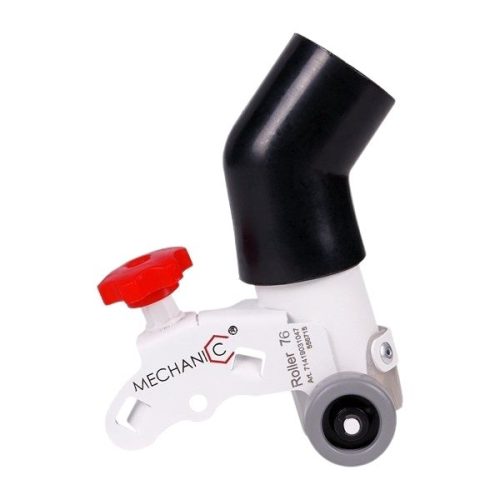
Mechanic ROLLER Cutting Guard
- Guided cutting guards for straight, perpendicular tile cuts
- ROLLER 76 fits compatible 3 in mini angle grinders
- ROLLER 115-125 fits compatible 4.5-5 in angle grinders
- Guide rollers support the grinder for stable, controlled movement
- Vacuum connection and silicone seal help contain cutting dust
- Open design keeps the cutting line visible
- Universal mounting fits grinders in the selected size range
-
Angle Grinder Accessories
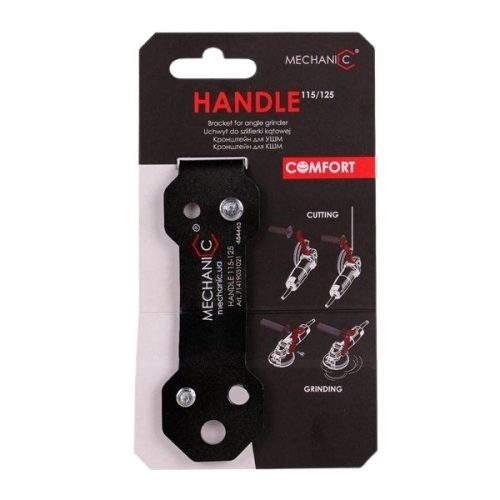
Mechanic HANDLE
- Ergonomic bracket that improves comfort and control during grinding or chasing
- Shifts hand position into a natural, balanced grip for reduced fatigue
- Aligns force with the center of the grinding cup to prevent tool skewing
- Enhances surface quality and overall precision with less physical effort
- Excels during electrical-wiring chasing for safer, more controlled vertical cuts
- Universally compatible with 4.5″–5″ angle grinders
- Includes M10 and M8 screws to fit nearly any grinder brand or model
-
Angle Grinder Accessories
Mechanic SLIDER 90×125
- Provides smooth, controlled sliding for cleaner cutting
- Optimized for porcelain gres and other hard materials
- Adjustable cutting depth for precise control
- Universal design compatible with most 125 mm angle grinders
- Prevents surface scratching during cutting
- Lightweight construction for improved handling
- Engineered for stable and reliable cutting performance
-
Angle Grinder Accessories
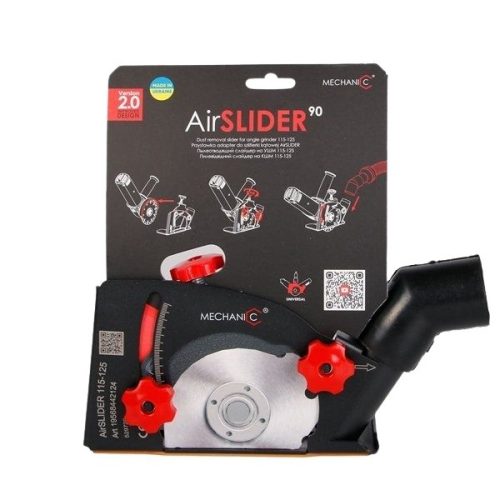
Mechanic AirSLIDER
- Provides smooth, adjustable, and precise sliding performance
- Works on materials like ceramic tile, granite, laminate, wood, and metal
- Transforms any 4.5″–5″ angle grinder into a compact cutting machine
- Installs easily on standard grinder guards with a plastic-lined sole for surface protection
- Allows seamless depth adjustment for improved accuracy
- Vacuum-compatible nozzle reduces dust for cleaner operation
- Compatible with grinders from any brand, delivering industrial-grade control and versatility
-
Angle Grinder Accessories
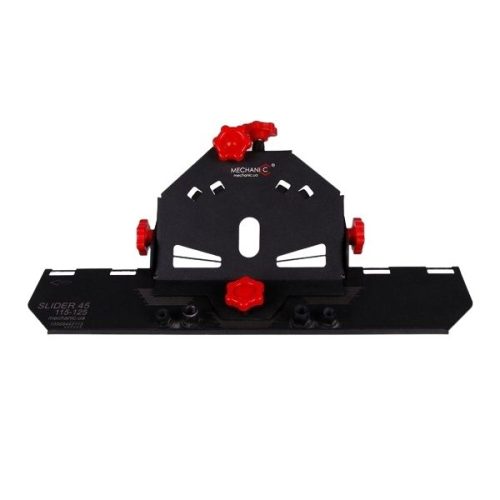
Mechanic SLIDER 2.0
- Makes 45° tile cutting faster, easier, and more precise
- Creates clean, professional-looking joints for seamless tile integration
- Compatible with 4.5″ and 5″ angle grinders
- Installs easily on most angle grinders
- Includes a scale for precise angle adjustments
- Reinforced ribs and increased surface area ensure accurate blade positioning
- Ergonomic plastic screws allow smooth, exact fine-tuning
-
Angle Grinder Accessories
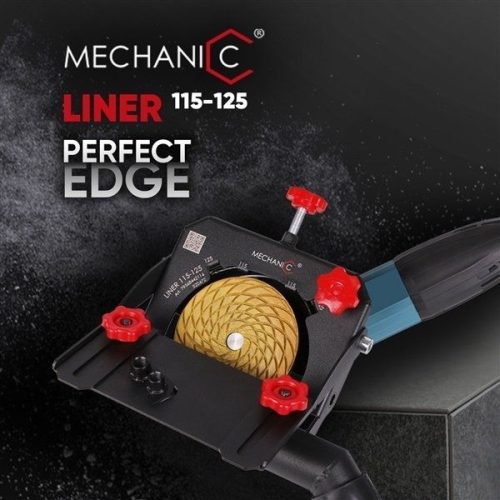
Mechanic LINER
- Delivers perfect edge finishing for ceramic tiles with precision and ease
- Uses guided grinding wheels for straight, precise, and repeatable edges
- Reduces hand fatigue by absorbing the weight of the angle grinder
- Integrated vacuum-compatible nozzle captures most dust
- Maintains a clean and safe workspace during operation
- Easy to install on any 4.5″–5″ angle grinder
- Step-by-step guidance available via Distar YouTube tutorial
-
Angle Grinder Accessories
Mechanic SPRAY Water Supply System
- Feeds controlled water directly to the cutting zone
- Converts compatible angle grinders for cleaner wet cutting
- Helps reduce silica dust, heat and porcelain edge chipping
- Universal connection fits most standard garden sprayers
- Current model supports 3, 4.5 and 5 in grinder guards
- Previous model supports 4.5 and 5 in grinder guards
- Select the model that matches the grinder and required fit
-
Angle Grinder Accessories
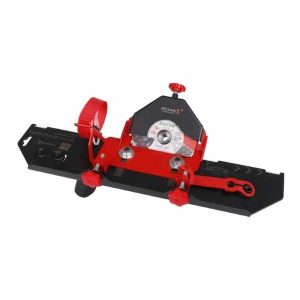
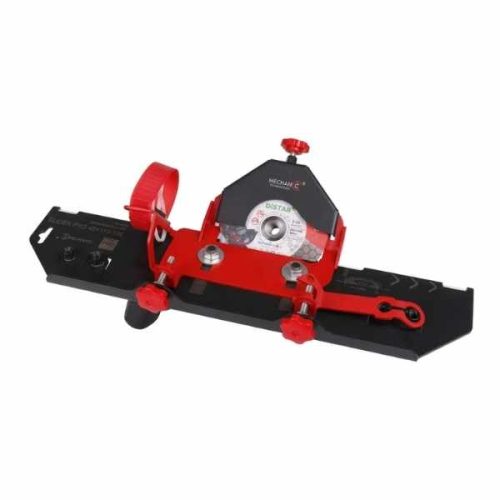
Mechanic Cutting Guard Slider 45 PRO 2.0 with Edge Dry 5″
- Professional 45-degree cutting system for precise Jolly edge fabrication
- Creates accurate bevel cuts on ceramic and porcelain tiles up to 20 mm thick
- Compatible with most 115–125 mm angle grinders via M14 spindle locking system
- Dual-bearing PRO 2.0 design reduces vibration and improves cutting precision
- Large fluoroplastic sliding surfaces glide smoothly without scratching tiles
- Includes DiStar Edge Dry 5″ diamond blade for both cutting and grinding
- Adjustable dust collection system and integrated water supply connections
- Inverted cutting mode allows easy processing of small-format tiles
- Complete kit includes attachment, blade, wrench, adapters, belt, and fastening system

-
Angle Grinder Accessories
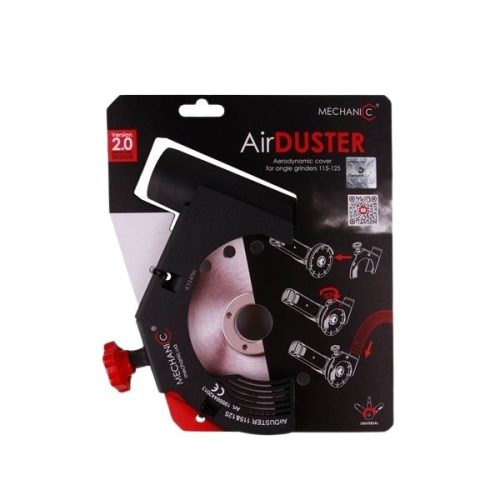
Mechanic AirDUSTER Dust Shroud
- Open Aero dust shroud for concrete and masonry cutting
- Available in 5, 7 and 9 in sizes for compatible angle grinders
- Universal mounting system fits most major grinder brands
- Vacuum port supports dust control with low-power shop vacuums
- Active airflow helps cool the blade during cutting
- Open design keeps the cutting line visible for better control
-
Angle Grinder Accessories
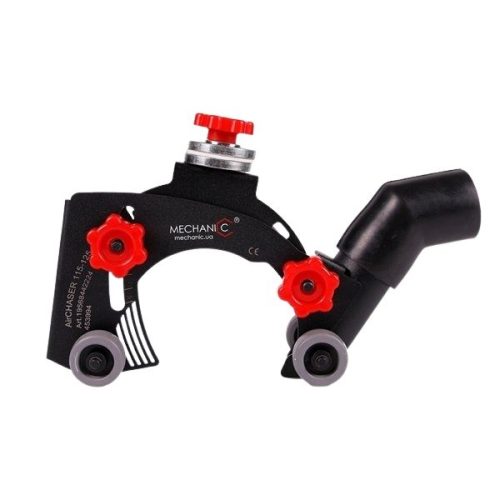
Mechanic AirCHASER Wall Chaser Attachment
- Converts an angle grinder into a wall chaser for concrete, brick and masonry
- Available in 5 and 9 in models for electrical and plumbing channels
- Universal mounting fits most compatible angle grinders
- Adjustable cutting depth supports controlled, consistent channels
- Aerodynamic dust extraction uses a brush seal and vacuum port
- Open blade design maintains visibility and blade cooling
- Rolling guide wheels support straight, stable cutting
- Reinforced metal body is built for professional jobsite use
-
Angle Grinder Accessories
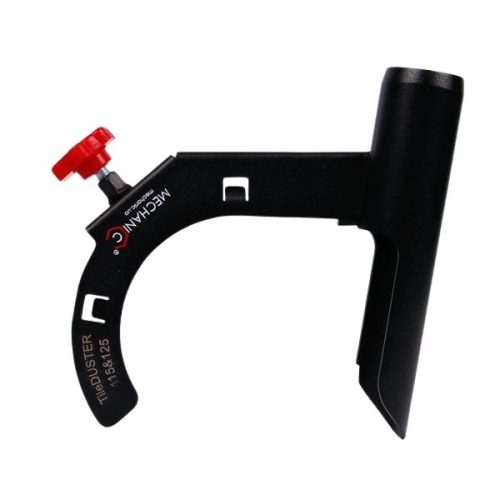
Mechanic TileDUSTER
- Universal compatibility: Fits any 4.5″ – 5″ angle grinder from all manufacturers.
- Easy installation: Attaches securely to the standard angle grinder casing with a screw.
- Full control: Provides complete overview of the grinding area for accurate work.
- Comfortable operation: Lightweight and ergonomically designed for effortless use.
-
Angle Grinder Accessories
Mechanic EdgeDUSTER
- Lightweight 260 g dust-collection system for clean polishing
- Fits any 4.5″–5″ angle grinder for universal compatibility
- Compact design enables precise work in internal corners and hard-to-reach areas
- Supports FireFly light attachment with a metal bracket featuring three adjustable fixing points
- Provides clear visibility and improved edge control during polishing
- Compatible with flexible polishing wheels and 4″ porcelain stoneware milling cutters
- Patented system ensuring efficient, dust-free operation and maximum comfort
-
Angle Grinder Accessories
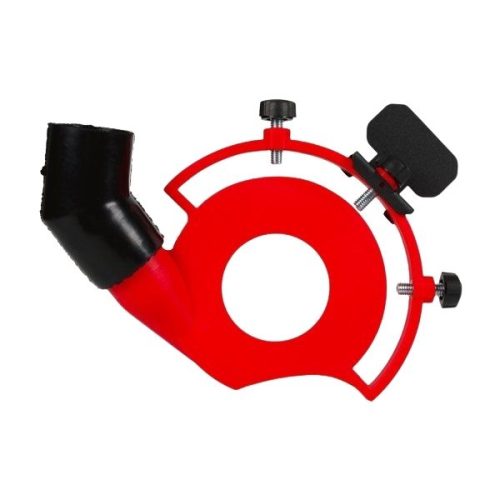
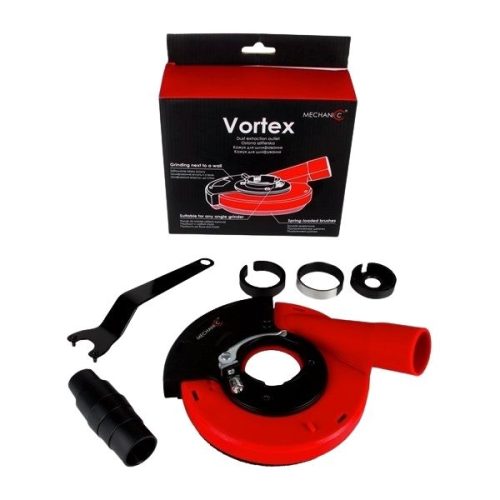
Mechanic VORTEX
- Universal locking system compatible with any 4.5″–5″ angle grinder
- Spring-loaded brush ensures smooth movement and maximized dust extraction
- Side cover opens for flush grinding along walls and floors
- Enables dust-free grinding ideal for indoor environments
- Provides precise, controlled, professional-grade performance
- Includes grinding cover, clamping key, remote flange, and gearbox adapter set
- Comes with a rubber adapter for a complete, ready-to-use system
-
Angle Grinder Accessories
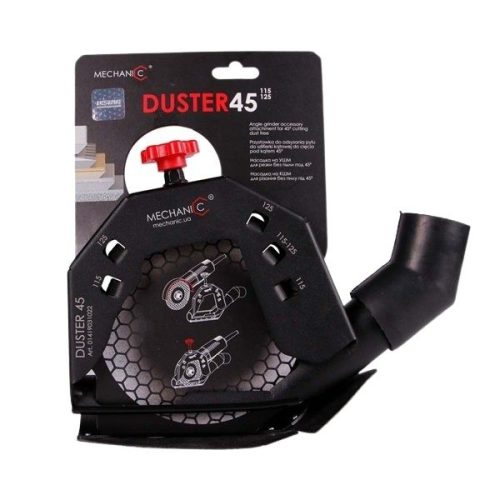
Mechanic DUSTER
- Delivers clean, controlled 45° tile cutting with a 5″ angle grinder
- Directs nearly all dust into the vacuum for safer, debris-free operation
- Plastic sliding support reduces hand fatigue and enables longer work sessions
- Viewing window on the accessory pipe provides clear visual control for precise cuts
- Universal adjustability for all 4.5″–5″ angle grinders
- Enhances efficiency and comfort during angled tile grinding
- Improves safety and visibility for confident, accurate cutting
-
Angle Grinder Accessories
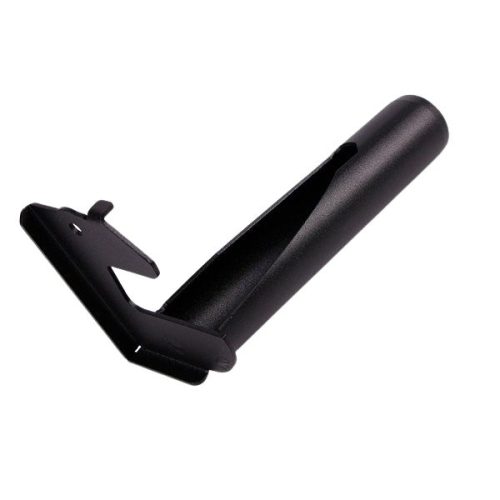
Mechanic Pipe 45 2.0
- Dedicated dust-removal tube for the Mechanic SLIDER 2″ 2.0 system
- Durable metal construction for long-lasting performance
- Channels dust efficiently away from the cutting zone
- Enhances extraction for cleaner and safer operation
- Improves visibility with a clear line of sight during cutting
- Designed for seamless integration and stable attachment
-
Angle Grinder Accessories
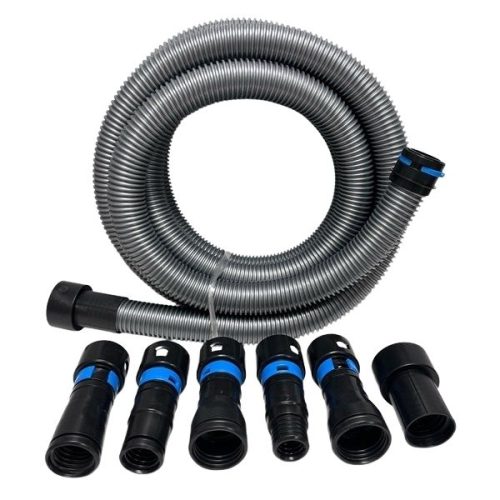
Mechanic Shop Vac Hose Adapter Kit
- Complete 1 1/4″ x 17 ft hose kit for extended reach
- Includes 5-piece power tool adapter set
- Quick Click system ensures fast, secure connections
- Allows effortless switching between accessories
- Compatible with most shop vacuums and power tools
- Ideal for sanding, polishing, grinding, and dust extraction
- Easy, tool-free installation for immediate use
Brands Carousel





AirDUSTER
See the Mechanic AirDUSTER dust shroud and its cutting setup. Compare the available sizes and review the grinder mounting and vacuum connection details on the product page.
Drilling Accessories
Plan drilling work with Mechanic accessories such as Cool GEL, HomeDUSTER, SocketDUSTER, AquaDUSTER and DrillDUSTER. Each product addresses a particular part of the drilling setup, with its own requirements for the bit, surface and connection.
Match the accessory to the diameter and type of hole you need to produce. Review whether the product uses a vacuum connection, water or another operating method, then check the included components before ordering.
-
Core Drill Bit Accessories
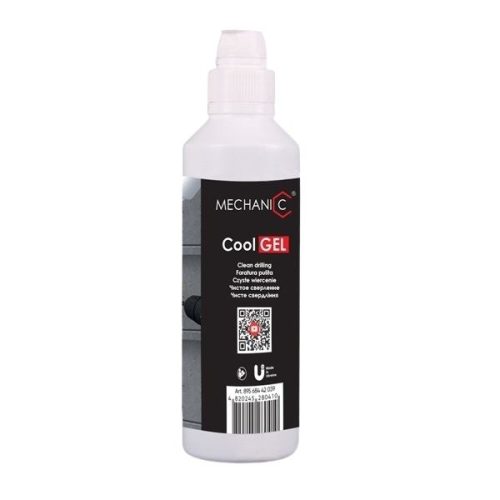
Mechanic Cool GEL 250
- Clean, efficient drilling on porcelain gres without dust or messy water
- Gel absorbs and binds debris directly at the drilling area
- Cools as effectively as water, boosting drilling speed
- Extends the lifespan of drill bits
- Leaves no splatter or sludge—simply wipe after drilling
- Thick formula adheres to horizontal and vertical surfaces
- Ideal for drill bits up to 1 3/8″
- Each 250 g container supports 20–25 holes
- Water-based, skin-safe formula for comfortable use
-
Core Drill Bit Accessories
Mechanic HomeDUSTER 40
- Perfect dust-collection accessory for clean, precise drilling with diamond or carbide bits
- Weighs only 60 grams for easy handling
- Attaches to any surface using a standard household vacuum
- Fits nozzles from 1.25″ to 1.5″ with durable plastic body and elastic rubber mounting
- Built-in mirror-reflecting guide ring ensures perfect 90° drill alignment
- Captures both fine dust and larger debris for a cleaner workspace
- Supports drilling diameters up to 0.8″
-
Core Drill Bit Accessories
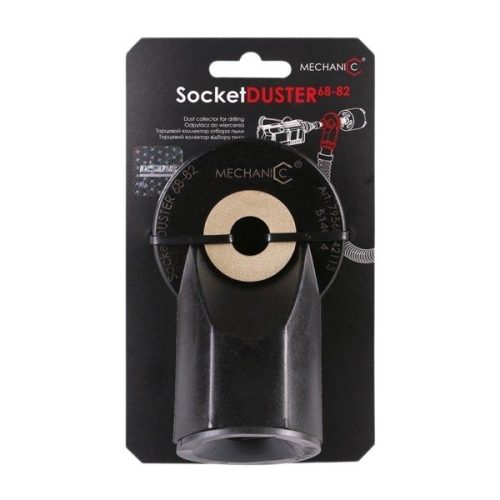
Mechanic SocketDUSTER
- Clean, dust-free drilling for outlet holes in concrete and brick
- Mounts directly onto the drill bit shank for superior debris capture
- Unaffected by wall roughness—collects dust from the end holes
- Airflow cools diamond segments, extending drill bit lifespan
- Maintains high drilling performance with better thermal control
- Compatible with drill bits from 68 mm to 82 mm
- Flexible rubber seal connects to household or professional vacuums
- Provides a cleaner workspace and smoother drilling experience
- Cost-effective solution for clean, hassle-free drilling
-
Core Drill Bit Accessories
Mechanic AquaDUSTER 162
- Efficient water and dust removal: Connects to a vacuum cleaner to suction debris directly from the drilling zone.
- Simple and affordable: Easy to use without complicated setup.
- Effective: Keeps your workspace clean and improves visibility while drilling.
-
Core Drill Bit Accessories
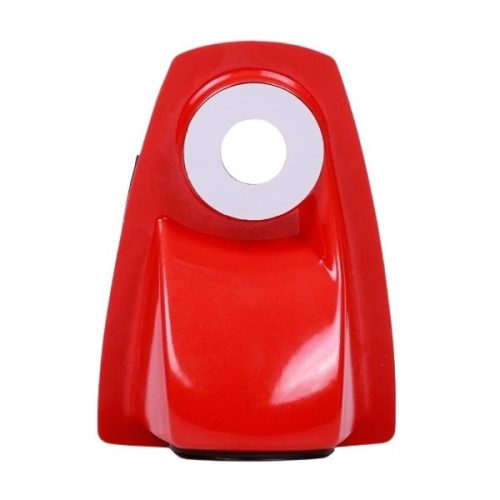
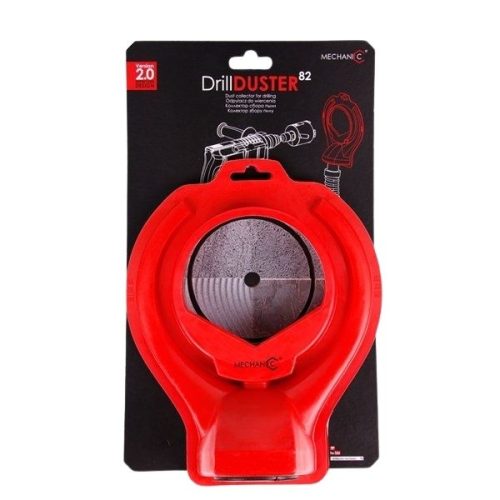
Mechanic DrillDUSTER 82 2.0
- Captures dust and debris directly at the drilling source
- Compatible with vacuum cleaners of 1.6 kW or higher
- Features a 35 mm mounting hole for dust-extraction hoses
- Ribbed rubber seal ensures firm and stable attachment
- Durable plastic body with a double sealing system for strong vacuum retention
- Supports core drill bits up to 82 mm in diameter
- Ideal for construction, renovation, and precision material removal

Brands Carousel
DrillDUSTER 82 2.0
Explore the Mechanic DrillDUSTER 82 2.0 drilling accessory. Check the product listing for the drilling diameter, vacuum connection and surface requirements for your setup.
Pads & Maintenance
Explore Click-Lock PRO, Click-Lock Uni, Centrum Pro and replacement fixing plates for compatible polishing setups. Compare the attachment system, pad size and mounting details to select the holder or component required for your equipment.
This section also includes the Mechanic Sharpening Bar for diamond-blade maintenance. Follow the instructions for the blade and maintenance product, and choose replacement components according to their specified system.
-
Mechanic Backer Pads & Pad Holders
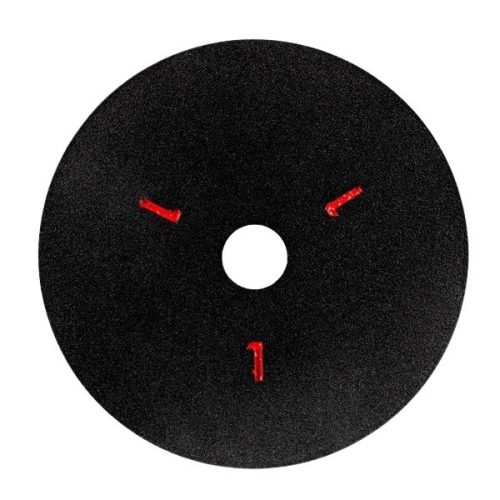
Mechanic Fixing Plate for 4 in Grinders
- 4 in (100 mm) replacement pad-holder plate for Click-Lock PRO
- The polishing pad stays attached while the holder locks onto and releases from the magnetic base
- Plates 1, 2 and 3 have the same size, construction and function
- The red number identifies which pad or polishing step is mounted
- The number does not indicate grit, rigidity, flexibility or performance
- Fast pad changes without peeling pads from their holders
- Maximum Click-Lock PRO system speed: 3,500 RPM
-
Mechanic Backer Pads & Pad Holders
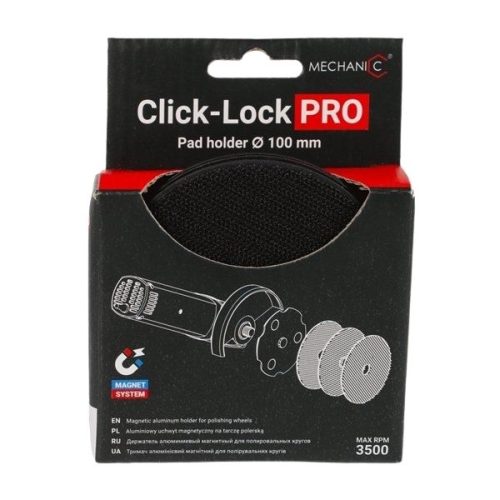
Mechanic Click-Lock PRO
- Eliminates the hassle of changing polishing disc grits for porcelain stoneware and granite
- Single magnetic system secures polishing discs until fully worn
- Changing holders requires just one click—no tools needed
- Rubber-gasketed base ensures smooth, controlled grinding at demanding angles
- Designed for angle grinders with adjustable speed up to 3500 RPM
- Compatible with 100 mm M14 mount angle grinders
- Includes magnetic base and three steel holders for a complete system
-
Mechanic Backer Pads & Pad Holders
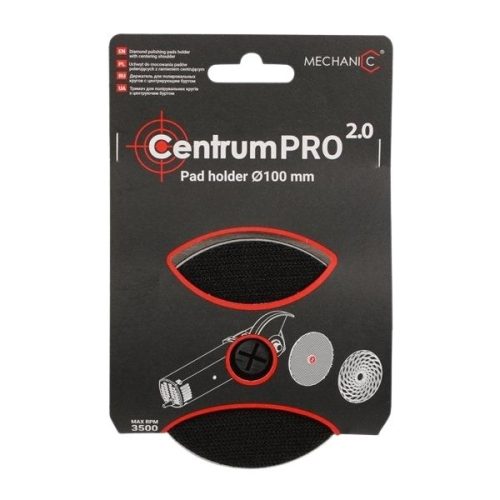
Mechanic Centrum Pro 2.0 Pad Holder
- Eliminates pad misalignment common with worn Velcro systems
- Precision centering pin ensures perfect axis alignment
- Secure pad hold prevents slipping during grinding
- Provides smoother operation and improved grinding performance
- Aluminum construction for durability and stability
- Compatible with all standard polishing pads and many others
- Removable centering pin for pads with smaller hole diameters
-
Mechanic Backer Pads & Pad Holders
Mechanic Click-Lock Uni Magnetic Pad Holder 4″
- Innovative magnetic quick-change system for fast transitions between cutting and polishing
- Allows one-handed polishing pad changes to reduce downtime
- Mounts polishing pads directly onto the cutting disc without removing the blade
- Powerful Click-Lock magnetic interface ensures secure pad attachment
- Precisely centered on the grinder arbor for stable and accurate performance
- Compatible with most angle grinders with at least 12 mm arbor extension
- Lightweight, durable construction with ergonomic design for easy handling
- Enables cutting and polishing with a single tool for increased productivity
-
Blade Accessories
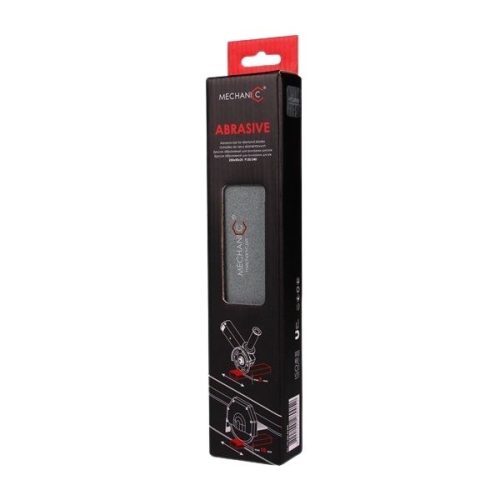
Mechanic Sharpening Bar
- Restores cutting performance on any diamond blade used on dense, non-abrasive materials
- Engineered abrasive composition exposes fresh diamond grains safely and effectively
- Prevents glazing, overheating, and cutting slowdown by removing embedded residue
- Simple sharpening process: 10–15 longitudinal cuts restore full cutting power
- Compatible with angle-grinder and tile-cutter blades (5 mm / 10 mm depth respectively)
- Durable 250 × 50 × 25 mm bar provides a long-lasting, stable sharpening surface
- Can be clamped for safer, more controlled sharpening during use

Brands Carousel
Click-Lock PRO
See how the Click-Lock PRO magnetic holder changes polishing-pad holders. Compare the listed mounting details, compatible components and the parts included with the product.
Tile Installation
Prepare the work area with the CeraMAX work table and compare handling options such as the SPRUT slab transport system. For installation details, explore TileTEMPLATE layout tools and the TileRepairKit.
Review the dimensions, included components and rated capacity where applicable before choosing equipment for your project. Layout, handling and surface-repair products perform different tasks, so use each product page to check the requirements for the tile or slab involved.
-
Installation Accessories
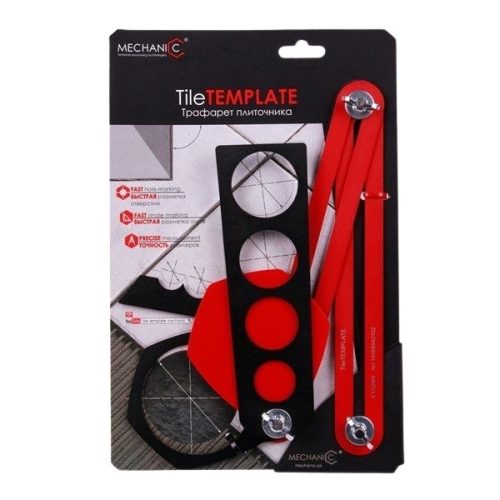
Mechanic TileTEMPLATE
- Transfers pipe, outlet and angle locations accurately to tile
- Standard model handles everyday tile layout and marking
- XL model supports large-format tile up to 118 x 79 in
- Multiple sliding reference points copy complex measurements
- Reduces repeated measuring and helps limit layout mistakes
- Rigid aluminum construction for professional installation work
- Select the template size that matches the tile format
-
Chemicals Accessories
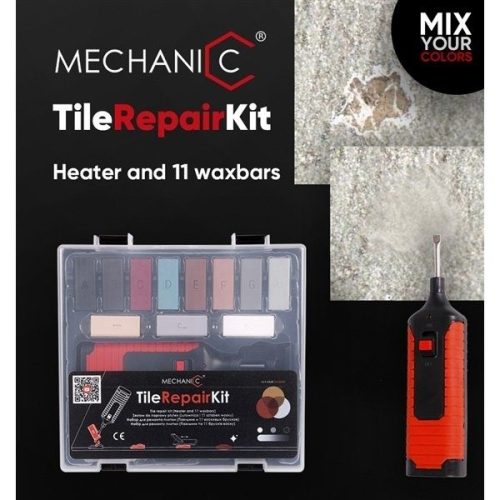
Mechanic TileRepairKit
- Enables fast, precise repair of cracks, chips, and surface defects
- Wax applies easily with a heated soldering iron for a smooth finish
- Includes 11 pre-mixed wax colors for accurate tone matching
- Allows custom color blending for perfect material matching
- Adheres to ceramic tile, natural stone, laminate, wood, plastic, and furniture
- Comes with all essential tools for professional-grade repairs
- Supplied in a convenient, organized transport case
-
Work Tables for your Granite Shop
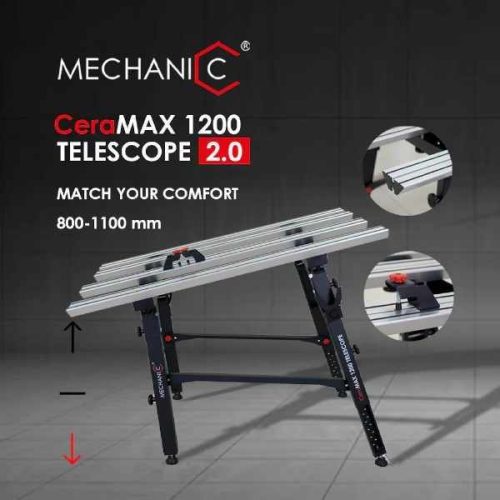
Mechanic CeraMAX 1200 Telescope 2.0
- Adjustable working height from 31.5″ to 47.2″ (800–1200 mm) for improved ergonomics
- Tilting mechanism enables easier 45-degree tile cutting and grinding
- Reinforced 4″ (100 mm) aluminum profiles provide exceptional stability
- Integrated rubber inserts absorb vibration for greater cutting precision
- No additional tile fixing required during operation
- Large 51.2″ x 30.7″ (1300 x 780 mm) work surface for large-format materials
- Integrated crossbars and storage brackets keep tools organized and accessible
- Designed to reduce operator fatigue and improve all-day productivity
-
Stone Lifters
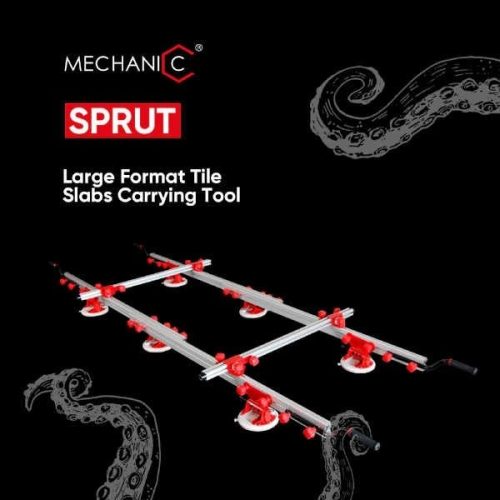
Mechanic SPRUT Slab Transport System
- Handles large-format slabs up to 126″ x 63″ (320 x 160 cm) and 1,100 lbs (500 kg)
- Six 8″ (200 mm) vacuum suction cups with electric air pumps for secure lifting
- Suitable for both smooth and textured slab surfaces
- Integrated pressure gauges ensure safe and reliable handling
- Lightweight telescopic aluminum frame adjusts to different slab sizes
- Adjustable length from 65″ to 126″ and width from 20″ to 63″
- Reinforced crossbars provide enhanced structural stability
- Modular design supports multiple configurations, including single-guide operation
- Weighs only 66 lbs (30 kg) for easy transport and maneuverability
- Includes adjustable handles, removable suction pumps, and rolling storage bag
Brands Carousel
CeraMAX Work Table
Explore the Mechanic CeraMAX 1200 Telescope 2.0 work table and its adjustment features. The product page provides dimensions, configuration and the equipment included.
Why Mechanic?
- Accessories organized around the job: Compare tools for cutting, drilling, edge finishing, handling and installation in separate groups.
- Options for the grinder setup: Explore guides, shrouds, handles and connections with product-specific mounting information.
- Support beyond the cut: Find pad holders, layout tools, work tables and transport equipment for other stages of tile work.
- Model-specific choices: Select sizes, systems and replacement components according to the equipment you already use.
- Clear product links: Open the individual item to review included parts, application details and available options before placing your order.
Select Mechanic tools around the task and the equipment they will support. Check the machine, accessory, mounting system and operating requirements as a complete setup. That is especially useful when comparing similar-looking guides or choosing a replacement holder, plate or connection for an existing system.
Mechanic Tools — FAQs
Answers to common questions about choosing Mechanic tools, comparing product options and matching accessories to the intended application.
Mechanic tools in this selection support tile cutting, drilling, edge finishing, dust collection, layout, handling and installation. Products include grinder attachments, cutting guides, pad holders, work tables and handling equipment. Each model has an intended application, so review its product page when choosing an accessory.
Compatibility depends on the accessory and the grinder. Check the listed grinder size, guard, spindle or mounting system as well as any hose or water connection. Compare those details with your equipment before ordering. A matching blade diameter alone does not establish that an attachment fits your machine.
A cutting guide supports a particular cutting operation or tool movement. A dust shroud addresses collection around the working area and may require an extraction connection. Some products combine features, while others are designed for a specific task. Use the individual model specifications to understand which functions are included.
Match the pad diameter, attachment method and mounting system to the holder and power tool. Replacement plates belong to specified systems and should be selected by that compatibility. Check whether the product listing covers a complete holder, a replacement plate or another component before placing the order.
Review the dimensions, rated capacity where applicable, included components and surface requirements for the specific product. Compare those details with the tile or slab and the intended work area. Work tables, transport systems and layout templates have different purposes, so select them for the individual task they need to perform.
Choose a product card in the relevant section to open the current product page. Review the specifications and select any available size or option before adding it to the cart. The product page also identifies included components where listed, which helps distinguish a complete accessory from a replacement part.
For additional technical detail, consult the manufacturer’s AirDUSTER product information alongside the specifications for the product and option you select.
Continue exploring: shop DiStar tools for complementary products and applications.